



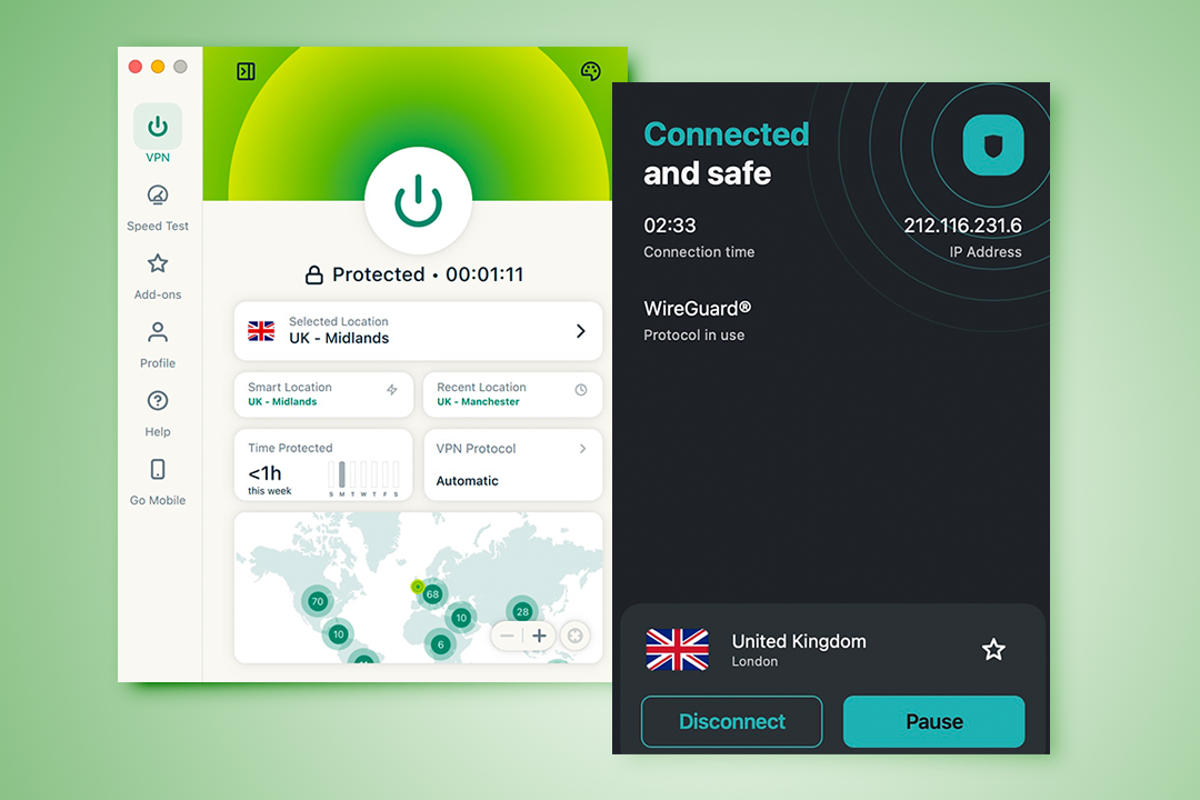
Surfshark and ExpressVPN are two of the biggest VPN services in the world, and you should sign up to one of them. But where do you begin? Using a VPN will give you peace of mind when connecting to public wifi, so you don’t have to worry about someone intercepting your data.
I’ve spent extensive time using both Surfshark and ExpressVPN – numerous times over the years, but more intensively in recent weeks to help find which one comes out on top.
I’ve looked at the pricing of each service’s plans, evaluated any extra features that might be useful and looked at just how well each VPN service works. Read on and I’ll take you through everything I’ve learned.
Read more: I’ve found the fastest VPNs in 2026
How I tested
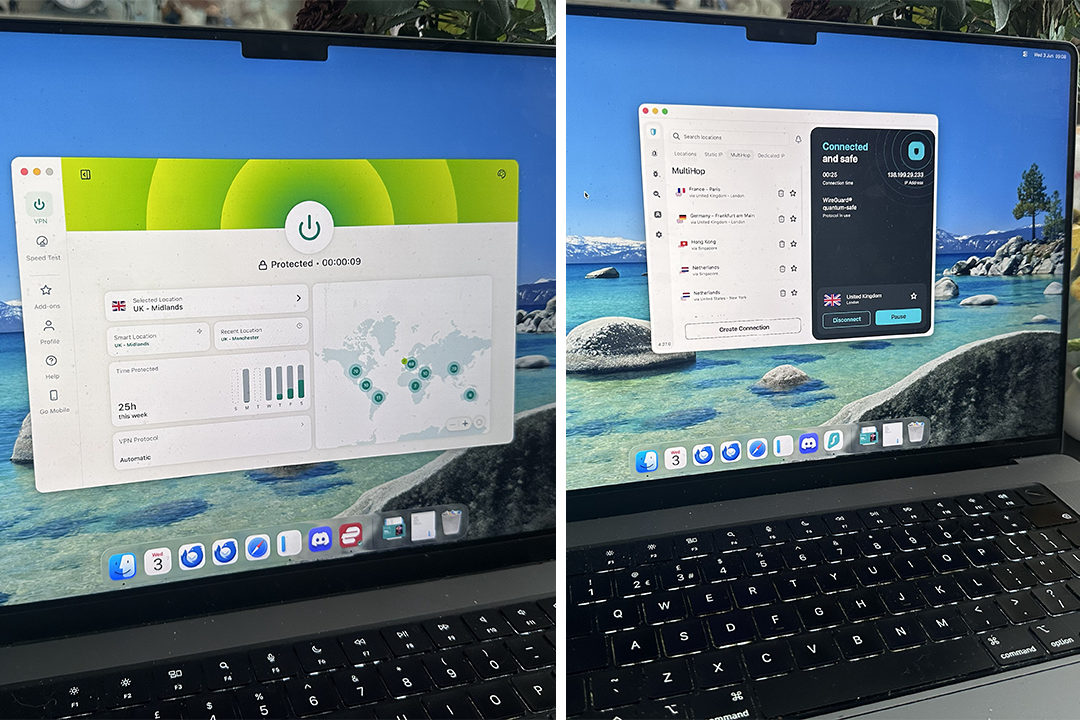
I’ve used both Surfshark and ExpressVPN a lot over the years with them both serving as my main VPN at different times in the last 10 years. For the purposes of this article, I signed up to both as a new user to see how smooth an experience that was. I then used them just like a regular user, connecting throughout the day on my home connection and via public wifi too. I looked at how well they worked, as well as any extra features.
Read more: Best VPN, reviewed

Surfshark
Surfshark is one of the big names in the VPN world, and I can see why. Everything from sign up to using the app is very simple, even if you aren’t technically minded. I appreciated that I could get straight to connecting, while also easily extending functionality such as by adding on the antivirus functionality. Its prices are very reasonable if you keep on auto-renewals, and it’s tough to find much fault here. The only minor issues relate to specific use cases such as if you need port forwarding.

ExpressVPN
ExpressVPN is the more beginner-friendly of the two options here. It’s well priced, but not quite as cheap as Surfshark. Its servers are on par with Surfshark and your data is still secure. There’s split tunneling and all the essentials as standard and its setup guides are near unparalleled in terms of simplicity. Keep an eye out for additional fees if you want extras like a dedicated IP, but other than that, ExpressVPN is a winner.
Surfshark vs ExpressVPN: Pricing and plans
Surfshark
Pros: Cheap plans; unlimited devices as standard
Cons: Monthly contracts are expensive
ExpressVPN
Pros: Private email relay service as standard; monthly plans are more affordable than most
Cons: Two-year plans could be cheaper
Both Surfshark and ExpressVPN lean heavily on having you tie yourself in for a year or more for the best prices. That’s understandable given in many cases, you’ll want a VPN for a long time rather than simply a month.
Surfshark’s cheapest plan is its Surfshark Starter plan for two years which works out at £40.23 for the first 27 months at the time of writing. It solely provides access to its VPN and also alternative ID feature where you can mask your email address, but that’s plenty for the price. The 12 month/15 month plan is £34.35 so it makes sense to pay the small extra for nearly twice the length of time. Paying monthly goes up to £11.29 per month.
Besides the basic plan, Surfshark also has its One plan which provides an antivirus, email scam checker, and data leak alerts. That costs £48.33 for 27 months or £37.35 for 15 months. Its final plan – One+ – is much pricier at £83.43 for 27 months and provides data removal services by Incogni. In the US, you get identity theft protection too. Most people will be happy with either the Starter plan or One.
ExpressVPN costs more with longer plans but works out cheaper if you just need a monthly solution. Its basic plan costs £69.72 for the first 28 months and covers 10 devices while also offering a private email relay service. Upgrade to Advanced and you pay £97.72 for 28 months and you get cover for 12 devices, a password manager, email relay services, and a travel eSIM. For AI tools too, there’s the Pro plan for £153.72 for the first 28 months. That adds on 500 AI credits so you can use its private AI chatbot.
Both ExpressVPN’s 24 month and 12 month plans are pricier than Surfshark, but it’s cheaper on a month-by-month basis. Its basic plan is just £9.99 per month compared to £11.29 for one month of Surfshark Starter. Price wise though, for the most part, Surfshark wins out.
Winner: Surfshark
Surfshark vs ExpressVPN: Features
Surfshark
Pros: Plenty of extra features; fast servers
Cons: Could have more servers
ExpressVPN
Pros: Fast servers; simple to use app
Cons: Some extras are costly
Both Surfshark and ExpressVPN are some of the most user-friendly VPNs around. That means whatever you choose, you should be happy. It’s worth knowing the difference though.
Surfshark starts off instantly appealing with its support for unlimited devices as standard. You also get Alternative ID bundled in for free, which allows you to easily mask your email address with a temporary one, potentially saving you from running into any issues. Its VPN service provides over 4,500 servers spread around the world which should suffice for most needs.
When it comes to more detailed options, Surfshark uses a Dynamic Multihop system to keep you extra secure and private as you browse. It also has a split tunneling feature so you can split your connection, such as using your VPN for web browsing or email while using your regular connection for gaming. Other standard options include a kill switch feature and ad and tracker blocking.
Upgrade to Surfshark One and you get a built-in antivirus, and private search tool with One+ offering up data removal tools and identity theft protection depending on your location. A dedicated IP can also be purchased for a fairly small monthly fee while ExpressVPN charges more for this.
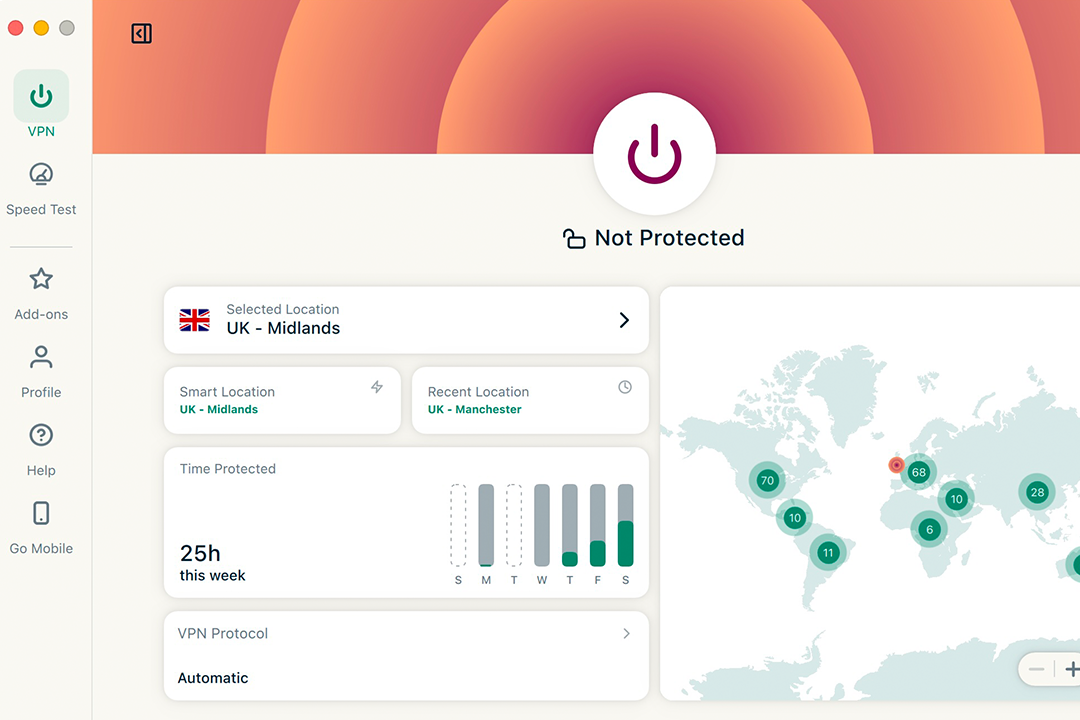
Talking of ExpressVPN, its opening card is a very easy to use app. Depending on the plan you pick, either 10, 12, or 14 devices can use the VPN at once, which should cover most households. All plans offer ad and malicious site blocking plus a private email relay system. Upgrade to the Advanced plan and you get a more advanced blocker, a password manager and an eSIM for travelling.
ExpressVPN works well, providing servers across 105 countries. Each server is pretty speedy from what I’ve seen. Bear in mind that the dedicated IP option is costly at £6.99, which is pricier than most of the competition.
Neither Surfshark or ExpressVPN offer port forwarding which may rule them out for gamers, but the core features are here for both. I’d struggle to choose just one but Surfshark edges ahead thanks to its unlimited device support and its wealth of genuinely useful paid extras.
Winner: Surfshark
Surfshark vs ExpressVPN: Ease of use
Surfshark
Pros: Simple setup; one app offers everything including antivirus
Cons: Does lean into getting you to sign up to other services
ExpressVPN
Pros: Logging in through other devices is very speedy; great setup guides
Cons: Simple approach is both good and not so good
Both Surfshark and Express VPN are very user friendly. If you’re not particularly technically minded, you still won’t falter here. Surfshark guides you through what you need to know early on. Pick a plan and it’ll offer up the choice of a shared IP or paying extra (currently £2.81 a month) for a dedicated IP. For most people, a shared IP will be sufficient. It then asks you about your technical knowledge to tailor the experience accordingly.
Installing the Surfshark app takes moments and all you really need to do is pick a country and connect. If you opt to get one of the more advanced plans, there’s access to the antivirus and everything else Surfshark has to offer in one place.
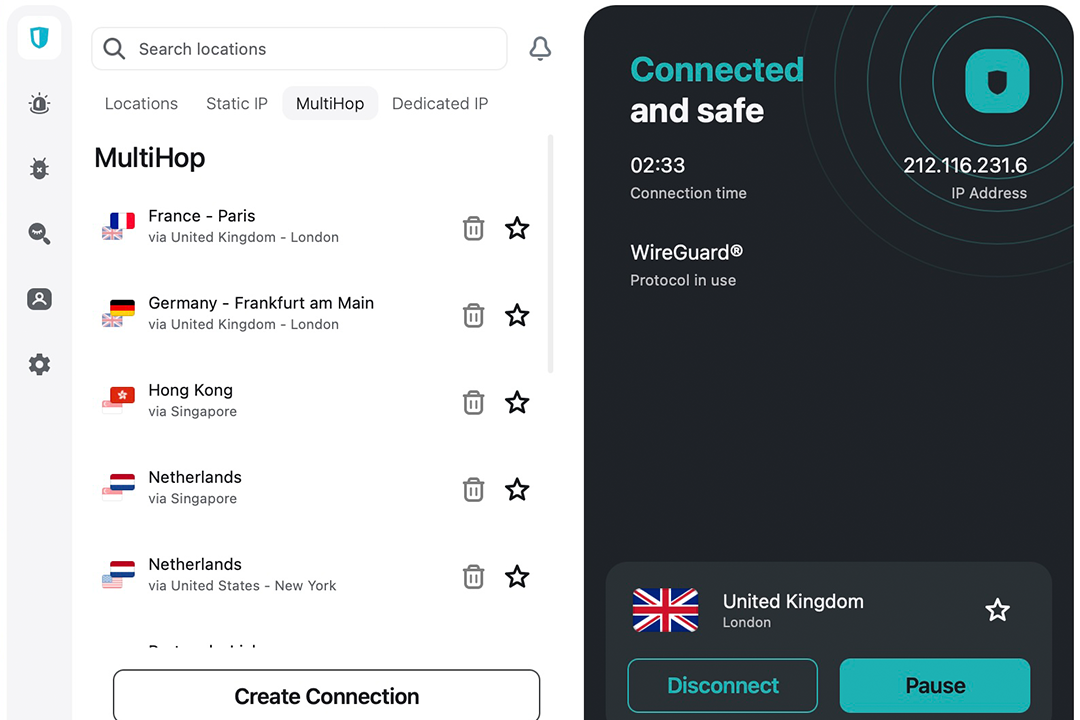
ExpressVPN is similarly welcoming. A straightforward installation process is made even sweeter by the activation code option. Rather than having to type your login details all over again, you can copy a code from your account on the website to the app. It might only save a tiny bit of effort and time, but I found it a neat little touch that endeared me more towards ExpressVPN. On a similar note, if you’re unlucky enough for the app to crash on you (I had this happen once on macOS), you get a simple error code that you can share with support to explain all to them.
With daily use, ExpressVPN is just a matter of picking a server and going from there. It’s potentially overly simple but its interface will suit those who want to get straight to the point rather than adjust too many settings.
Winner: ExpressVPN
Surfshark vs ExpressVPN: Support
Surfshark
Pros: Live chat bot; help centre is fairly comprehensive
Cons: No phone support
ExpressVPN
Pros: Extensive training centre; lot of setup guides
Cons:Ticketing system is a little hidden away; no phone support
Surfshark’s support is mostly what you would expect. Its first port of call is a reasonably impressive help centre. On the help centre, you can easily look up most common queries with step by step instructions guiding you through what to do. In particular, I was impressed by the setup guides which show you how to install the app, whether that’s the desktop app, mobile or for your smart TV.
The live chat is good when it works, although I sometimes found it wouldn’t open in my browser. What worked consistently was the ticket system which generally solved queries quickly enough, occasionally taking a little longer. There’s no phone support but I didn’t find it particularly vital given the other options available.
ExpressVPN also lacks phone support. It focuses on its fantastic training centre and more regular support options. The training centre is like a halfway house to full support. It has some useful videos on how to do various things with your new VPN service, which should save you from needing to dive into the full support.
If or when you do need more help, it’s still very useful with plenty of guidance, and a live chat that’s available 24/7 just like Surfshark’s. You can email support too but I found that a little hidden away in contrast to other services. Still, that training centre and ExpressVPN’s setup guides are just what you need to avoid using direct support.
Winner: Tie
Surfshark vs ExpressVPN: The Verdict
It’s a closely fought battle here. Whether you go with Surfshark or ExpressVPN, you’ll be happy. Each has simple to use apps, which still provide all the key features you need, like split tunneling and a huge number of servers. Surfshark adds to the arsenal with a multihop feature, but both will still keep your data secure as you browse.
Where things differ slightly is pricing and add-ons. Surfshark is the cheaper option, from the basic VPN to upgrading to a dedicated IP or adding on an antivirus. ExpressVPN has additional features too, but I’d argue they’re not quite as focused as Surfshark, albeit still useful. There’s also a limit on devices with ExpressVPN, while Surfshark offers unlimited connections.
Looking under the surface then, Surfshark has the edge. Its app is straightforward, Alternative ID is useful as standard, and I’d struggle to find any issue with it. ExpressVPN is a very close second. I just wish it supported more devices and had lower add-on prices.
How Surfshark and ExpressVPN were tested
During my time using Surfshark and Express VPN and deducing which is the superior product, I made sure to consider some key elements that helped me come to my conclusion. Here’s what I thought about:
- Ease of use: With any new app or service, you want it to be simple to use without scrimping on features. I looked at how easy it was to use Surfshark and Express VPN. That included looking at the sign up process, how easy it was to cancel, and also how simple it was to use the app or set your router up with it.
- Features: I looked at the features that both Surfshark and Express VPN offered. Of course, the focus was on the VPN service and how well it worked, but I also looked at any extra features that might boost your privacy and generally improve your life. I prioritised features that were genuinely useful rather than filler.
- Value for money: Pricing is important in such a competitive market. The cheapest option isn’t necessarily the best so I looked at value for money. That meant whether the product was worth investing in. I also kept an eye on pricing and any deals, as well as considered how much other VPNs cost.
- Performance: I looked at the speed of the VPN and whether it affected your regular internet speeds. I also wanted to see if the VPN app affected anything on your PC. Overall, I wanted the introduction of another layer of security to make little difference to your speeds you usually see.
Why you can trust IndyBest reviews
Jennifer Allen is an expert in everything tech. She has been writing about online security, as well as website building and hosting, gaming and console reviews since 2010.
Read more: Best cheap VPNs, reviewed