


Tamara Hinson is a travel and technology writer with a love of smartphone photography, off-the-beaten-path destinations and time-saving gadgets
Taking travel photos on your smartphone can be as rewarding as it is challenging, particularly when your focus is the great outdoors. Beautiful landscapes and wildlife are often unpredictable, with changing light, movement and distance all affecting the final shot. But with a few simple techniques and the right kit, however, you can greatly improve your results.
Tik-Toker, influencer and wilderness lover Somhairle is no stranger to shooting in nature. He spends much of his time in Scotland’s breathtaking countryside, and more often than not, his adventures will involve dramatic landscapes, wildlife, and capturing life and travel experiences in the remoter parts of Scotland. He’s used to shooting in all weather, lighting and even while running or cycling at speed.
On one of his latest trips into the Scottish wilds, Somhairle took along his Samsung Galaxy S26 Ultra to capture his travels. The phone comprises an arsenal of five cameras, and a laser autofocus sensor for improved focusing speed – perfect for highlighting the tiny details, as well as doing the larger landscape justice. Here he shares his best tips for capturing nature with your smartphone.
Keep your setup simple and experiment with angles in landscape photography
For landscape photography, the right setup can make all the difference, but you don’t need a huge amount of kit. “For me, a tripod is a must for landscape photography. Especially if you are solo. It needs to be good quality, sturdy, tough but not too heavy if it’s coming on big walks and adventures. Also a quick release feature is great so you can get your phone off quickly and easily,” says Somhairle.
Somhairle also suggests being flexible with your approach, and experimenting with different techniques. “Play about with your angles. Change your vision – if you’re struggling to make the landscapes look like what you were hoping for, then change it up and make it artsy.”
He found the Galaxy S26 Ultra’s 200MP main camera captured the scale and detail of Scotland’s terrain with striking clarity. “I was shooting near the Cobbler, a mountain in Arrochar, Scotland. It’s only around 50 minutes from Glasgow but it’s really dramatic, and the Galaxy S26 Ultra was great for landscape shots.”
Use front and rear cameras on your smartphone for better outdoor selfies
.jpeg)
There will always be selfie basics – snap in natural light, extend your arms as fully as possible if you’re not using a stick, angle the camera slightly above your face. But having the right phone can reduce the hard work. The Samsung Galaxy S26 Ultra’s front-facing camera’s AI-powered Advanced Selfie function will upgrade your shadiest selfies by enhancing the finer details which are often lost, and ramping up the depth of your shots for clear, crisp shots.
“I love this feature because the photos which turn out best are the ones which don’t just show the landscape, but me exploring it – clearly loving the environment I’m in,” explains Somhairle. “Personally, I can relate to spectacular landscapes much more when someone’s in it. It makes it more personal.”
And it’s not just the front-facing cameras that make for good selfies, especially if you’re looking for a wider shot to show more of the scenery around you. “The Ultra Wide Camera was brilliant for selfies with wider angles – I particularly enjoyed using it for shots of me walking. The way in which it allows you to be in a shot which also showcases the landscape so well is amazing.”
Rethink what makes a strong subject for travel photography
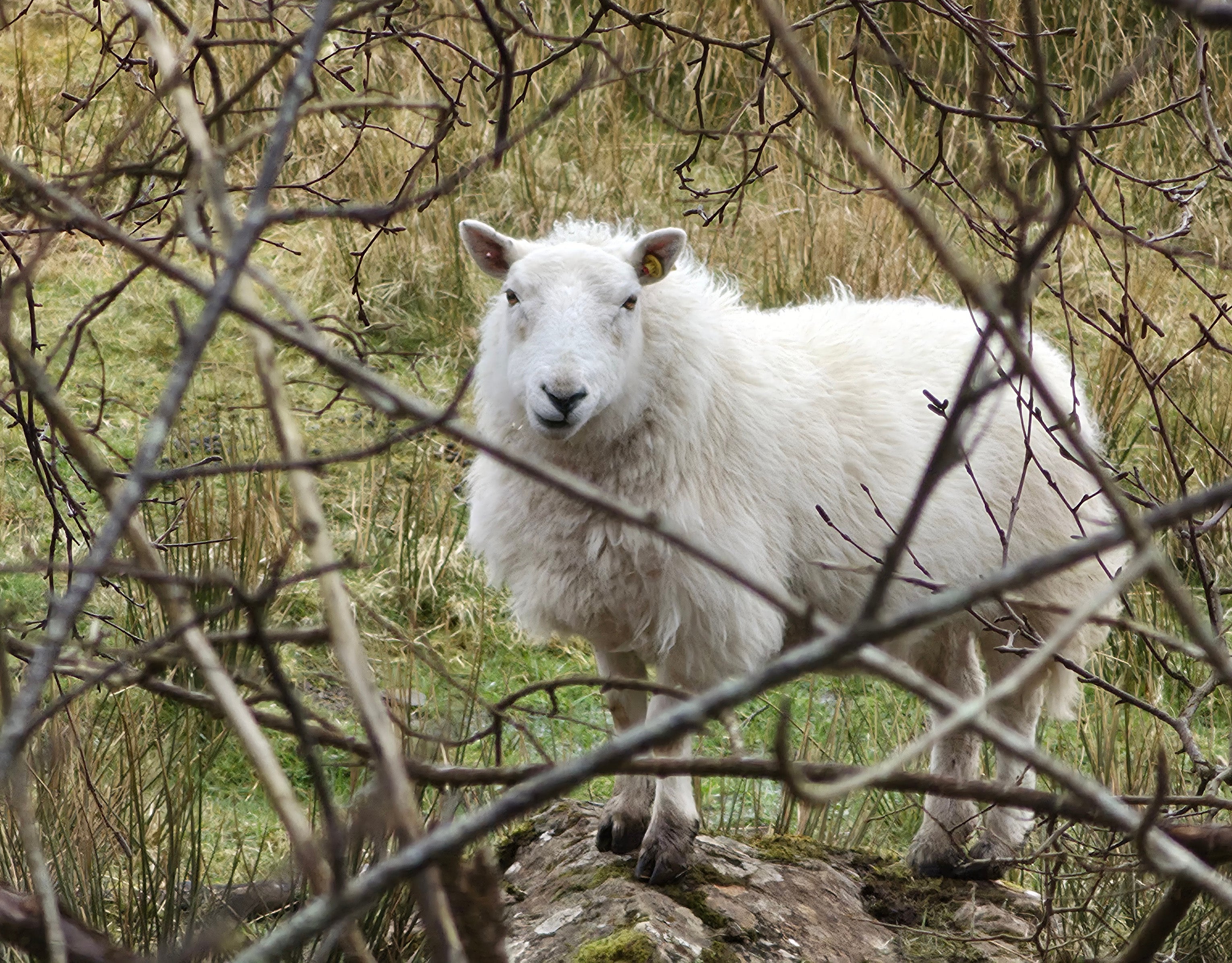
Don’t underestimate how seemingly mundane objects can become fantastic subject matters for your photos. Somhairle’s numerous pictures of sheep are a case in point.
“Sheep are quite comical,” he says. “I used the Galaxy S26 Ultra to get a great shot of this sheep which was just chewing away on some grass before he looked up and stared at me. The phone’s 200MP camera allowed me to capture its character really well in my photos and videos.”
The 10x optical quality zoom can take a chunk of the credit, too. “The powerful zoom was so helpful,” says Somhairle. “It really takes you into those up-close-and-personal moments, and the pictures look very different to ones I’ve taken on other phones. The colours pop out and just took my photos to the next level.”
With wildlife, Somhairle says persistence is key. “Shooting wildlife takes time and patience. If you are hoping to capture one specific animal, sit in the same spot for a while. Once you see it that’s when the fun starts and you get the camera out. When I was shooting by the coast I knew I wanted to capture some seals. At first there was no sign of them but I took a wander, came back, sat for a while on a rock and they decided to show their faces.”
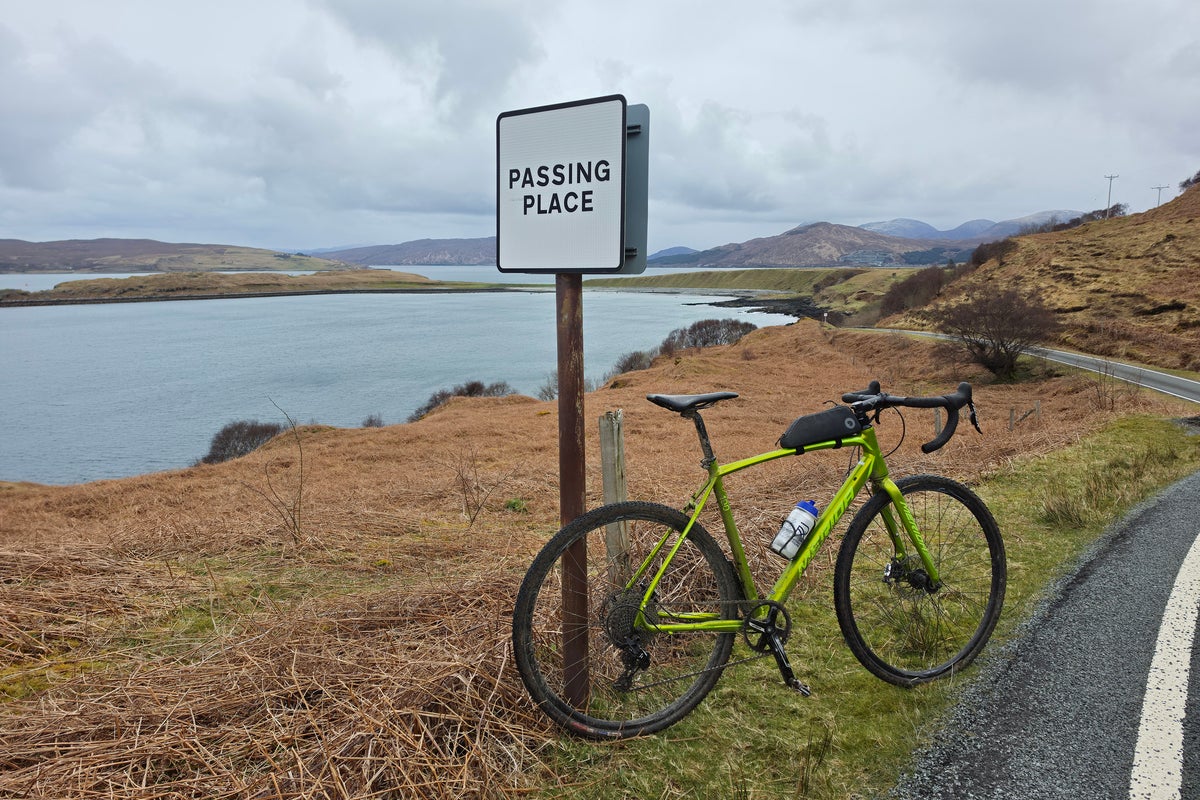
Other times, it’s about capturing interesting details. “I took a picture of my bike looking on to Brae beach on Skye, where I decided to turn round as the hail and rain rolled in,” says Somhairle. “It was the end of a long quiet road and I snapped a photo of the bike leaning against one of the iconic ‘Passing place’ signs. I think the image really captures the feel of the ride and what it’s like riding on island roads.”
Blend personal moments with scenic backdrops for better travel photos
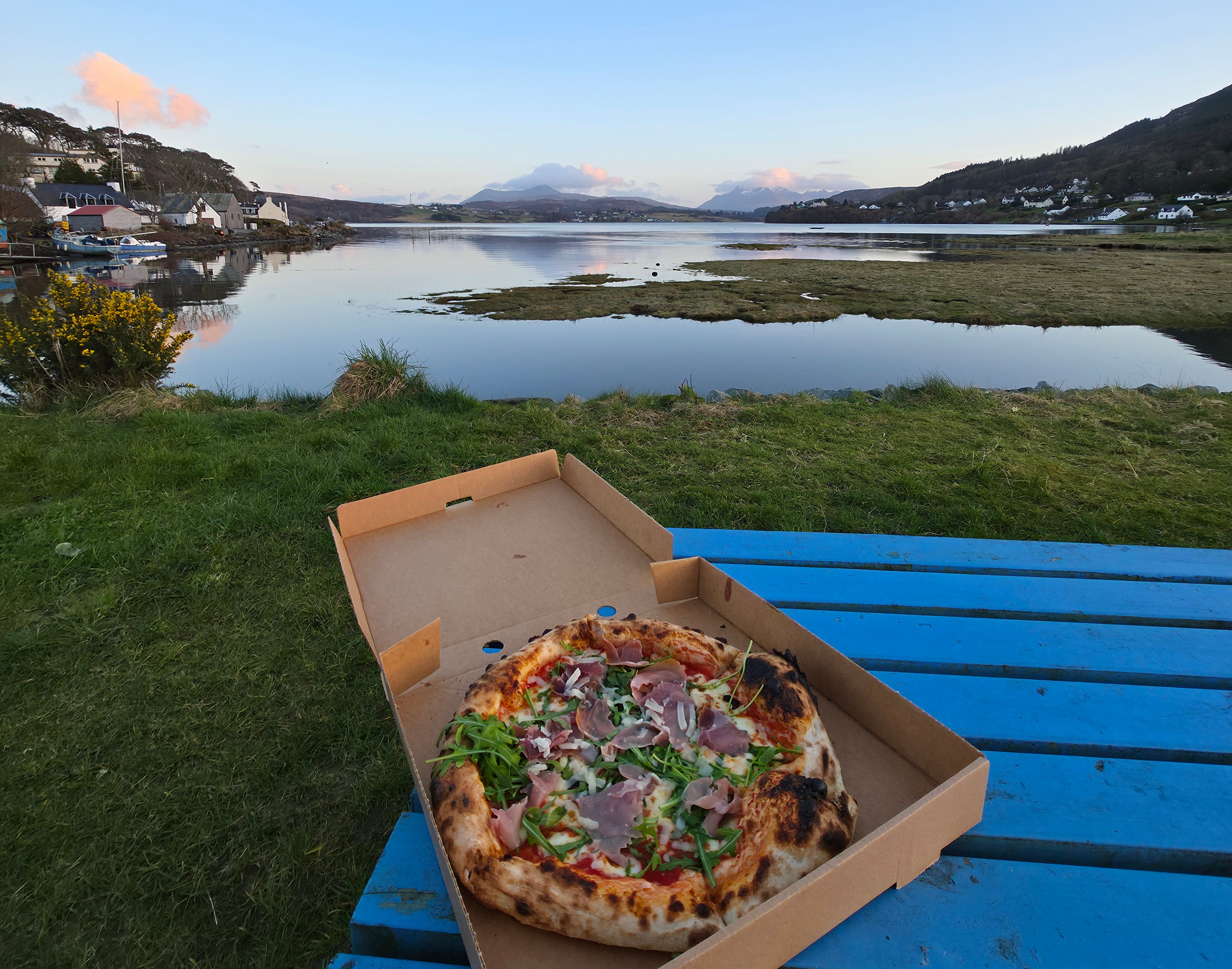
While Somhairle loves a majestic landscape shot, he also enjoys injecting his photos with a dash of personality, and the combination of the phone’s wide-angle lens and its ability to enhance both colour and small details came in especially useful for this type of shot.
A brilliant example is the picture he took of his dinner – a freshly-baked pizza, on a rustic picnic bench, sits in the foreground, while mist-shrouded peaks and a fishing village of pastel-hued cottages lend a supersized dose of drama to the backdrop.
“I took this picture in Portree – what a place to eat your dinner! I captured my pizza using the food photo mode on the phone and I think it made it pop against the lovely view in the background.”
“My brand is me,” explains Somhairle. “The pictures which do best are the ones with a bit of me in them – me looking happy, but with the landscape in the shot, too. I love amazing landscapes but I can relate to them more when they show something connected to the person taking the photograph. It makes it more personal.”
Use phone privacy settings when editing images while on the move

With Somhairle spending much of his time outdoors or away from home, he often finds himself having to edit and upload content while on the move – and sometimes, in very public settings. “Features like Privacy Display* are great for when I’m editing in cafes or on buses,” says Somhairle.
This ingenious feature allows the user to control light emission to ensure the screen can only be seen clearly from certain angles. It’s also customisable, so users can decide whether to obscure the entirety of the screen or simply part of it, and there’s also the option to conceal incoming notifications.
Somhairle explains: “Often people will ask what I’m doing, and if I’m editing something over and over again because I’ve made a lot of mistakes – and I don’t want to look like an idiot – it comes in really handy!”
Edit images easily with AI powered in-built software
What’s more, wherever you’re editing your images, simple tune-ups are made easy thanks to Galaxy S26 Ultra’s AI-assisted Photo Assist** which allows you to edit photos – add, remove, or resize elements – simply by describing the changes you want (through simple text or vocal instructions).
“This particular feature was great for tidying up images and making them more aesthetically pleasing before I added them to my feed,” Somhairle says.
Being on the go so much means that battery life is another priority for Somhairle. Galaxy S26 Ultra packs a 5,000mAh battery†, built to power a full day of photography without reaching for a charger. His adventures also require a durable device and the screen’s tough Corning Gorilla Glass Victus 2 and Corning Gorilla Armor 2 at the back help protect the phone from bumps and scrapes, without adding unnecessary bulk.
Adding to its appeal as the perfect device to document your travels, wherever they are.
FAQs: How to use your phone to take better travel photos
What camera settings should I use for wilderness photography on my phone?
Use HDR for landscapes to balance bright skies and darker foregrounds, and keep focus locked on your main subject. On the Samsung Galaxy S26 Ultra, Pro Mode lets you adjust ISO, shutter speed and white balance for more control in changing outdoor light.
How do I take sharp photos of wildlife while travelling?
Stability and timing are key – use burst mode and avoid heavy digital zoom. The Galaxy S26 Ultra’s 10x optical quality zoom and horizontal lock and ultra stabilisation help maintain clarity when photographing distant or moving animals.
What is the best way to take landscape photos in the wilderness?
Use a wide composition, include foreground interest, and shoot during golden hour for softer light. The Galaxy S26 Ultra’s 200MP sensor captures high detail, allowing you to crop images later without losing clarity.
How can I improve low-light travel photos in nature?
Use night mode, keep your phone steady, and avoid flash where possible. The Galaxy S26 Ultra’s AI-enhanced Nightography‡ mode helps reduce noise and preserve detail in forests, campsites, or dusk scenes.
Should I use zoom when taking travel photos outdoors?
Use optical zoom sparingly for distant subjects like animals or mountains, but avoid over-zooming for wide scenes. The Galaxy S26 Ultra’s 5x optical zoom system is designed to retain detail better than standard digital zoom.
6. How can AI tools improve my wilderness travel photos?
AI can enhance exposure, colour balance, and sharpness both during and after capture. On the Galaxy S26 Ultra, Galaxy AI§ features and tools like Photo Assist** can remove distractions, improve framing, and refine final images quickly.
Find out more about the Galaxy S26 Ultra camera and AI features at Samsung
*Requires manual activation in settings to function. Privacy Display feature is not AI powered
**Requires network connection and Samsung account login. A visible watermark is overlaid on the saved image to indicate it was generated by Galaxy AI. Accuracy of output not guaranteed
†Typical value tested under third party laboratory conditions. Rated minimum capacity of the Galaxy S26 Ultra is 4,855mAh.
‡Results may vary depending on light condition, subject and/or shooting conditions.
§Samsung account login is required for certain AI features.

